Create controls for selected properties via Expression Controllers or Essential Properties.
Subscribe to my mailing list to download for free.
You can unsubscribe at any time. I promise not to spam you.
Already have an account? Log in to download
How to Use Essentially
Basics
- Select properties in the Timeline (or just select layers for all transform properties)
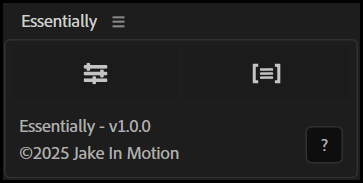
- Click the
Expression ControllersorEssential Propertiesbutton
Expression Controllers Mode
Creates expression control effects on each layer and links your selected properties via expressions.
- Adds Sliders, Points, Colors, Angles, or Checkboxes depending on property type
- Controls appear in the layer's Effect Controls panel
- Existing keyframes are transferred to the new controls
To remove: select linked properties and click again.
Essential Properties Mode
Precomposes selected layers and exposes properties to the Essential Graphics Panel.
- Automatically crops precomp to content bounds
- Enables Collapse Transformations on the precomp layer
- Preserves parenting, track mattes, and blend modes
- Properties appear in Layer Contents > Essential Properties
To remove: select Essential Properties and click again.
Tips
- Use Expression Controllers when you want quick access to buried properties without changing comp structure
- Use Essential Properties for instancing precomps and Motion Graphics Templates (.mogrts)
Installation
Copy the Essentially.jsx file into your After Effects ScriptUI Panels folder, then restart After Effects.
- OSX:
/Applications/After Effects #version#/Scripts/ScriptUI Panels/ - Windows:
/Program Files/Adobe/Adobe After Effects #version#/Support Files/Scripts/ScriptUI Panels/
Changelog
If you've already downloaded Essentially, log in to your account and visit My Products to get the latest version.
1.0.3
Released: 2026-03-18
Fixed JSON polyfill that could interfere with third-party tools
1.0.0
Released: 2025-12-22
- Initial Release