Instantly add wiggle expressions to selected properties with expression controls.
Subscribe to my mailing list to download for free.
You can unsubscribe at any time. I promise not to spam you.
Already have an account? Log in to download
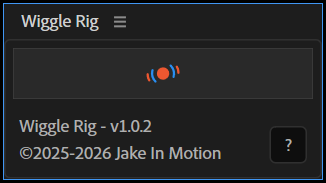
How to Use Wiggle Rig
Basics
- Select one or more animatable properties
- Click the
Wiggle Rigbutton - Each property gets a wiggle expression with custom controls
Modes
- Click: Creates controls on each layer
- Shift+Click: Creates individual controls per property
- Alt/Option+Click: Creates a shared null controller for all selected properties
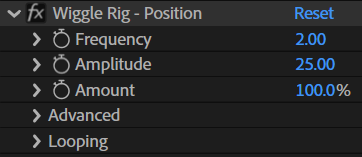
Basic Controls
- Frequency: Wiggles per second
- Amplitude: Size of wiggle
- Amount: Controls the wiggle influence
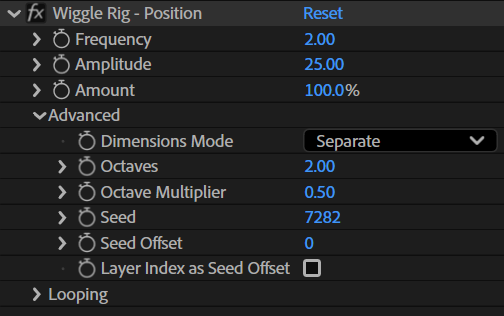
Advanced Controls
- Dimensions Mode:
- Separate: Wiggles each dimension uniquely
- Linked: Wiggles each dimension identically
- X/Y/Z Only: Wiggles selected dimension only
- Octaves: Layers of detail (higher = more complex, jittery motion)
- Octave Multiplier: How much each detail layer contributes (lower = smoother)
- Seed: Random starting point (same seed = same wiggle pattern)
- Seed Offset: Shifts the random pattern (use to offset duplicate layers)
- Layer Index as Seed Offset: Automatically gives each layer a unique wiggle pattern
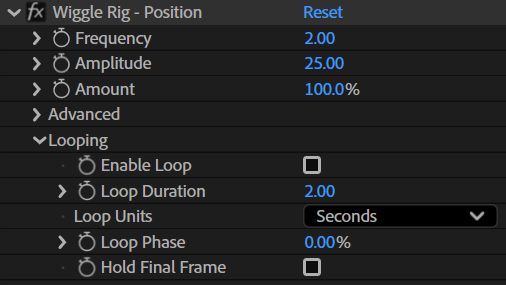
Looping Controls
- Enable Loop: Toggles the loop
- Loop Duration: Sets the duration of the loop according to the Loop Units
- Loop Units: Seconds or Frames
- Loop Phase: Offset the timing of the loop
- Hold Final Frame: Plays the loop once
Tips
- Animate the
Amountto ease in and out of the wiggle - Change
Seedto get a different random pattern - Use the shared null mode (Alt/Option + Click) when you want multiple layers to wiggle using the same controls
Installation
Copy the Wiggle Rig.jsx file into your After Effects ScriptUI Panels folder, then restart After Effects.
- OSX:
/Applications/After Effects #version#/Scripts/ScriptUI Panels/ - Windows:
/Program Files/Adobe/Adobe After Effects #version#/Support Files/Scripts/ScriptUI Panels/
Changelog
If you've already downloaded Wiggle Rig, log in to your account and visit My Products to get the latest version.
1.0.2
Released: 2026-01-08
- Fixed a bug throwing a JSON error for some users
1.0.1
Released: 2025-12-31
- Added pseudo effect controls for all wiggle parameters
- Added an amount property for animating the wiggle on and off
- Added controls for Dimensions, Octaves, and Seed Offset
- Added looping controls
- Added alert when project uses the Legacy ExtendScript expressions engine with instructions to switch to JavaScript
1.0.0
Released: 2025-12-20
- Initial Release